Astro Gold
Cosmic Apps Pty LtdLifestyle
3.7108.00 Reviews
- Version
- 2.5.2
- Installs
- 10.00K
- Age Rating
- Everyone
Screenshots
Our Review of Astro Gold
 Analysis by Appyee
When I open an astrology app, I usually have a practical question in mind: where can I get a chart I can return to, compare, and actually work with? Astro Gold is aimed at that kind of use, rather than at someone who only wants a quick horoscope during a coffee break. It is a lifestyle app from Cosmic Apps Pty Ltd, and its professional approach makes most sense when you already have some interest in reading charts—or are willing to learn as you go.
My first useful test is not whether an astrology app can produce an impressive wheel, but whether it can support a whole small workflow: prepare a chart, inspect what stands out, compare it with another chart or a transit, and keep the result for later. That is the lens I would use to decide whether this one earns a place on your phone.
Begin with a question, not a prediction
A good starting point is a question with enough detail to guide your attention: for example, whether a particular transit is worth examining alongside your natal chart, or which points to look at before a conversation about relationship dynamics. That approach suits charting software better than expecting a single sentence to settle a complicated personal decision. I find it useful to treat the chart as a structured prompt for reflection, not as proof of what will happen.
This distinction matters for newcomers. A daily horoscope is designed to be read quickly, often without much setup. A professional-style chart app asks you to bring a little more patience and context. If you are curious about astrology but do not yet know what houses, aspects, or transits mean, the abundance of detail may feel like a wall at first. I would start with one chart and one question rather than trying to interpret every symbol on the screen.
Move from chart setup to a useful comparison
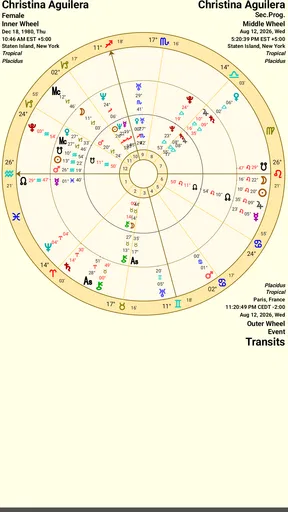
For a practical session, I would begin by creating a natal chart, then check the placements and houses that relate to the question I brought in. After that, I would compare the chart with a transit or another chart instead of jumping between unrelated screens. This keeps the reading focused: the aim is to notice a few relevant connections, not to turn every available detail into a conclusion.
The option to adjust house systems and aspect orbs gives experienced users room to follow a preferred method. It also introduces a real trade-off: changing settings can make your results differ from a friend’s or a guide’s, even when you are looking at the same person. If you are learning, I would leave the defaults in place until you understand what a change is meant to do. That makes it easier to learn from examples and prevents a settings experiment from being mistaken for a meaningful change in the chart.
A less obvious habit that helps is to keep the chart settings consistent when comparing readings over time. If you switch house systems halfway through a series of notes, a difference in the display may come from the setup rather than from the transit you wanted to follow. I would record the question and the settings alongside any takeaway that matters to me. That small bit of discipline makes saved charts more useful later.
Carry the reading into everyday life
Imagine you have a conversation planned after work and want to think through a relationship pattern beforehand. You could review the relevant natal chart, use synastry to examine how two charts interact, and then save the chart for another look when you have more perspective. The value is not that the app tells you what to say; it is that it gives you a consistent place to examine the material and decide what, if anything, feels worth discussing.
That handoff from chart to real life is where I would be careful. It is easy to treat an interpretation as a verdict about another person, especially when a reading describes tension or compatibility in confident language. I would use synastry to generate questions for a conversation, not to replace one. A chart can be a useful lens, but it cannot tell you how someone will behave in a specific moment or remove the need to listen to them.
Saved charts also make the app more suitable for ongoing study than for one-off browsing. If you revisit a chart after a few weeks, you can compare your earlier notes with what you think now. That can reveal how your reading skills are changing, though it does not make an interpretation objectively correct. For someone learning astrology, the difference between “I noticed this” and “this must happen” is worth preserving.
Who gets the most from the workflow
I would recommend this style of app to astrologers who regularly inspect charts, students who want to practice comparing placements, and curious users who enjoy learning how natal charts, transits, and synastry fit together. The personal astrology calendar can help turn a chart into something you revisit while planning, rather than a screen you open once and forget. For a more considered session, being able to save charts and return to them is a practical advantage.
It is less suited to someone who wants simple, entertaining daily readings with no learning curve. A lightweight horoscope app is likely the better choice if you want a brief prompt and do not care about chart settings or comparisons. It may also be the wrong fit if you prefer an astrology service that explains every concept in a guided, beginner-first sequence. Here, the freedom to explore is useful, but it can leave a newcomer responsible for deciding what to examine next.
There is also a difference between having detailed information and knowing how to interpret it. The app can lay out chart elements, but your conclusions still depend on your knowledge and approach. I would not buy it expecting a substitute for study, counselling, or professional advice. Its strongest role is as a charting and reference tool for people who want to do their own astrological work.
Price is another point to weigh before settling into that workflow. At $26.99, this is a more deliberate purchase than a casual free horoscope app, so I would only choose it if chart work is something you expect to return to. The app has a 3.7 average from around 600 ratings, with over 100 written reviews, and more than 10,000 installs. Those figures give a sense of its audience, but they cannot tell you whether its professional approach matches your own habits; the best test is whether you will use its deeper tools often enough to justify the cost.
Working with Astro Gold
Hey there, astrology enthusiasts! If you're on the lookout for a robust astrology app that goes beyond just daily horoscopes, let me introduce you to Astro Gold. I’ve spent some quality time with this app, and I’m here to spill the celestial beans on what makes it shine.
Features That Stand Out
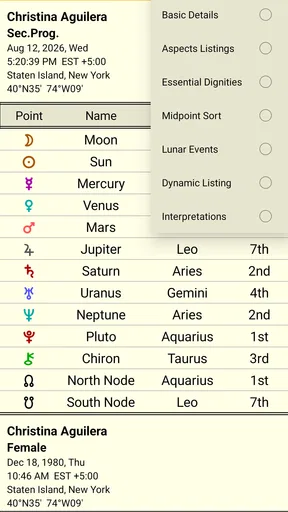
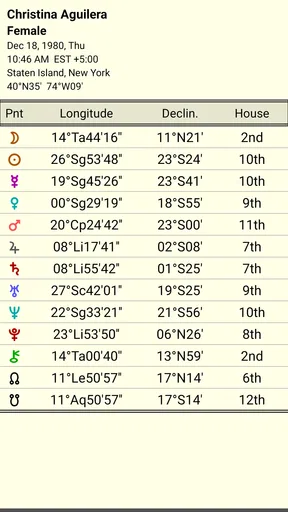
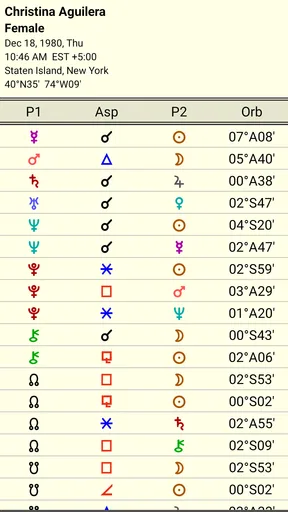
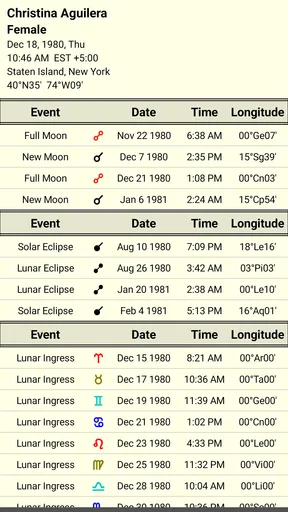
One of the first things I noticed is the app’s in-depth charting capabilities. You can generate detailed natal charts for individuals and compare them with transits or other charts. The level of detail is impressive, with aspects, houses, and planetary positions all laid out in a way that’s easy to digest. For those who like to dive deep into astrological nuances, the app offers interpretations that are both rich and insightful.
Another standout feature is its synastry analysis. Whether you’re curious about your compatibility with a partner or just want to understand how different energies interact, Astro Gold provides comprehensive insights. The app breaks down the complex aspects into understandable chunks, making it easy to see where strengths and challenges might lie.
User Experience
Using the app feels like having a personal astrologer in your pocket. The developers have clearly put a lot of thought into making the experience smooth and enjoyable. I found the navigation to be seamless, and the app rarely lags or crashes. It’s also worth mentioning that the app is available on both Android and iOS, so you’re covered regardless of your device preference.
One feature that I particularly appreciated is the ability to save and revisit charts. This is perfect for those moments when you need to refer back to a previous analysis or want to track changes over time. The app also allows you to export charts, which is a nice touch for sharing insights with friends or clients.
When sharing an exported chart, I would add a short explanation of what the recipient is looking at instead of sending the image alone. A wheel or list of placements can be clear to someone who already studies astrology and opaque to someone seeing it for the first time. That makes the export more useful as a handoff: the app supplies chart material, while you supply the context and the question you want to discuss.
Customization and Personalization
Astro Gold doesn’t skimp on personalization. You can adjust settings to suit your preferences, whether that’s choosing different house systems or customizing aspect orbs. This flexibility is a godsend for advanced users who want their charts just so. Even for beginners, the default settings work beautifully and provide accurate, reliable data.
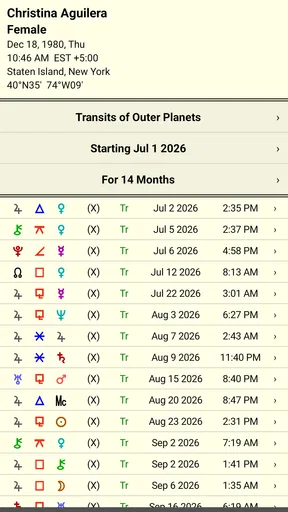
The app also includes a personal astrology calendar. This is a great tool for keeping track of upcoming transits and how they might affect your personal chart. I found this feature particularly useful for planning around major astrological events.
I would use the calendar as a reminder to review a transit, not as a schedule that dictates a decision. For example, if a date catches my attention, I can look at the chart and note what I want to reflect on, then make ordinary plans based on practical realities as well. That keeps the feature grounded: it can help organize an astrology routine, but it should not take the place of checking availability, talking to people, or weighing the consequences of a choice.
A Few Words on Accuracy
In terms of accuracy, Astro Gold is top-notch. The calculations are precise, and the interpretations resonate with authenticity. The app uses the Swiss Ephemeris for its calculations, which is widely regarded as a reliable source in the astrology community. This means you can trust that the data you’re working with is as accurate as it comes.
If you’re wondering about updates, the app is regularly updated to ensure it stays current with the latest astrological data. The developers seem committed to maintaining a high standard, which is always reassuring for users who depend on precise information.
For a prospective user, the practical question is whether the current release fits your device and workflow. The version is 2.5.2 and the minimum OS requirement is 10. It is rated for Everyone, so the age classification is broad, though the professional depth will still be more comfortable for users who are interested in astrology terminology. Cosmic Apps Pty Ltd is the developer behind it, and the app’s release history begins on October 19, 2015.
Final Thoughts
So, what’s the verdict? If you’re serious about astrology, Astro Gold is definitely worth the investment. Its comprehensive features, user-friendly design, and accurate data make it a standout choice in the realm of astrology apps. Whether you’re a professional astrologer or just someone with a keen interest in the stars, this app has something to offer.
In a world where astrology apps are a dime a dozen, it shines brightly. It’s like having a cosmic guide at your fingertips, helping you navigate the celestial dance in a way that’s both profound and practical. So, go ahead, give it a whirl and see how it aligns with your astrological journey!
Verdict
Strengths of Astro Gold
- Highly accurate astrological charts.
- User-friendly interface for beginners.
- Includes detailed interpretations.
- Supports multiple chart formats.
- Regular updates with new features.
Limitations of Astro Gold
- Limited free features available.
- Steep learning curve for beginners.
- Requires internet for some features.
- No customization for notifications.
- Occasional slow performance on older devices.
Similar Picks in This Category
View All
SmartThings
Samsung Electronics Co., Ltd.4.6

Google Home
Google LLC4.0

Pinterest4.2

Astrotalk - Talk to Astrologer
Astrology & Horoscope4.7

My Verizon
Verizon Consumer Group4.5

Samsung Wallet (Samsung Pay)
Samsung Electronics Co., Ltd.4.1
Frequently Asked Questions
What platforms is Astro Gold available on?
Astro Gold is available for both Android and iOS devices. It provides a seamless experience on smartphones and tablets, allowing users to access detailed astrology insights on the go. The app is optimized for each platform, ensuring smooth operation and an intuitive user interface.
Does Astro Gold require an internet connection to work?
Astro Gold can function offline for many of its core features, such as chart creation and basic interpretations. However, to access updated data, such as current transits and planetary positions, an internet connection is necessary. This ensures that users have the most accurate and up-to-date astrological information.
What features does Astro Gold offer for astrology enthusiasts?
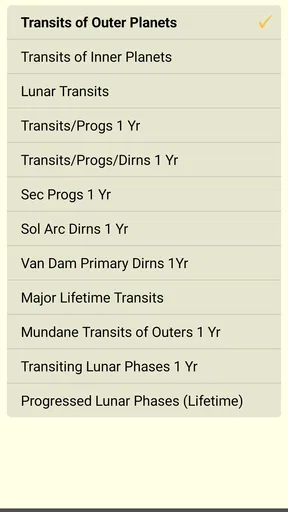
Astro Gold offers a comprehensive suite of features, including natal charts, transits, progressions, and synastry charts. Users can customize chart displays and access detailed interpretations. The app also supports various house systems and provides detailed reports, catering to both beginners and professional astrologers.
Is Astro Gold user-friendly for beginners in astrology?
Yes, Astro Gold is designed to be user-friendly, offering a clean and intuitive interface that guides users through chart creation and interpretation. The app includes helpful tutorials and explanations, making it accessible for beginners while still providing advanced features for experienced astrologers.
Are there any in-app purchases or subscriptions in Astro Gold?
Astro Gold provides a range of features with a one-time purchase. However, there may be optional in-app purchases for additional features or specific modules. These allow users to enhance their experience according to their specific needs, without mandatory subscriptions.
